You’ll Need a Crypto Wallet First
Before getting started, you must have a crypto wallet installed to receive and swap tokens. We recommend MetaMask, but any wallet that supports Binance Smart Chain (BSC) will work.
2 Steps
Don't forget to click the "Image Examples" to see screenshots of each step.
Step 1
Image Example
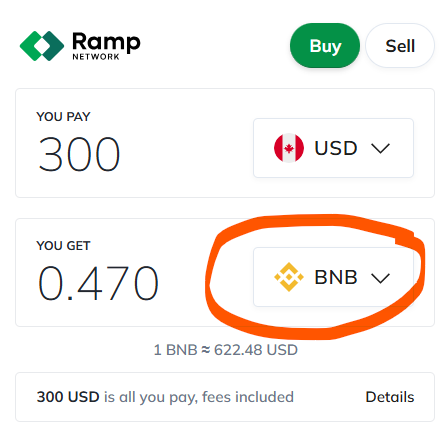
Buy BNB with your credit or debit card and send it to your MetaMask wallet address. Be sure to select the BNB crypto type so that you are buying BNB with your card, as shown in the image example.
Step 2
Image Example
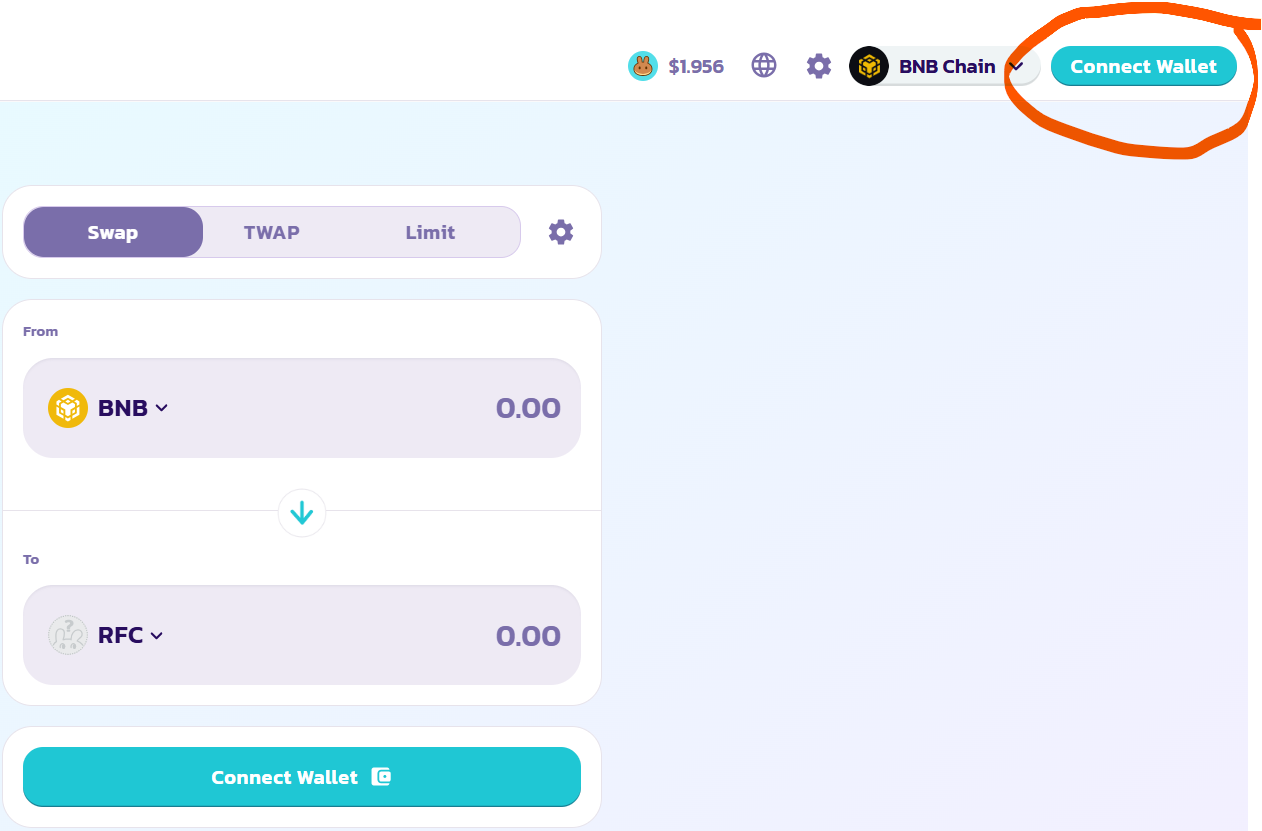
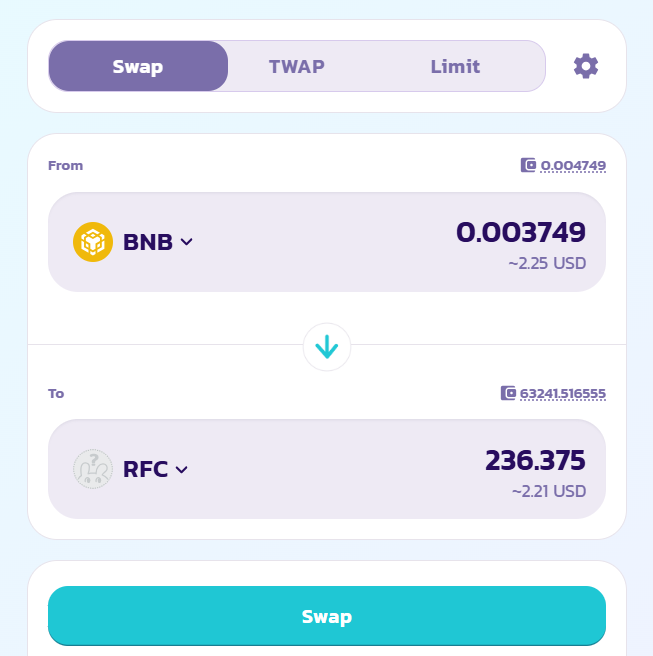
Once you click the button below to swap BNB for RFC, make sure your wallet is connected to PancakeSwap. In the top right corner of your browser, you’ll see a “Connect” button — or your wallet address if you're already logged in.
How To Install MetaMask
Don't forget to click the "Image Examples" to see screenshots of each step.
Step 1
Image Example
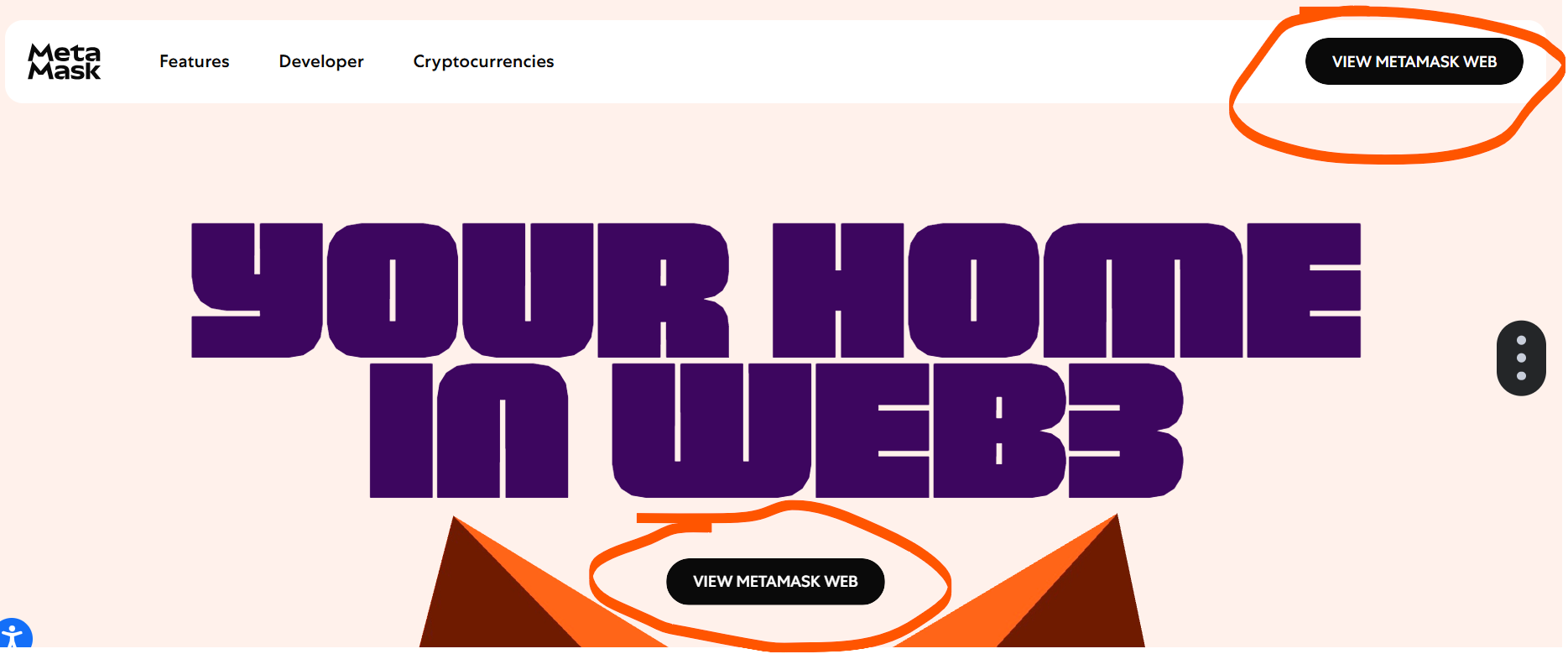
Go to metamask.io and download the extension for your browser (like Chrome or Firefox) or the mobile app from the App Store or Google Play. Click 'View MetaMask Web' to install.
Step 2
Image Example
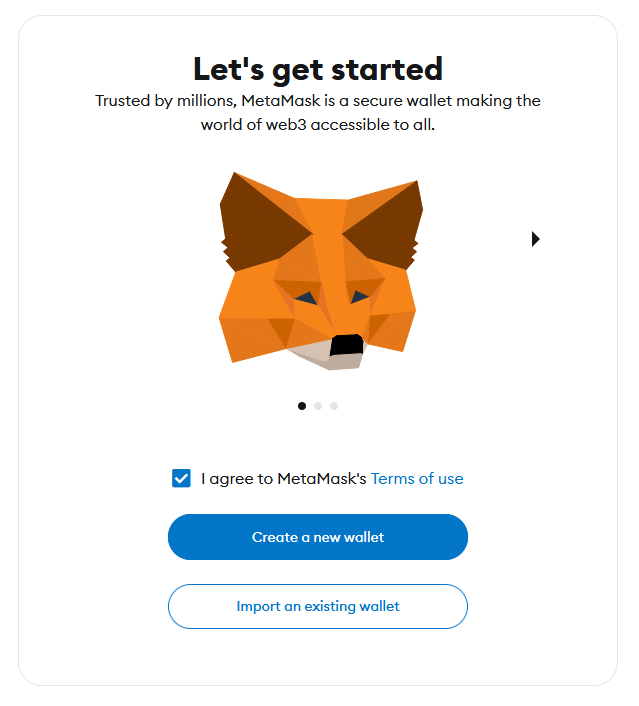
Click “Get Started” and choose “Create a Wallet” when prompted — this begins your wallet setup.
Step 3
Image Example
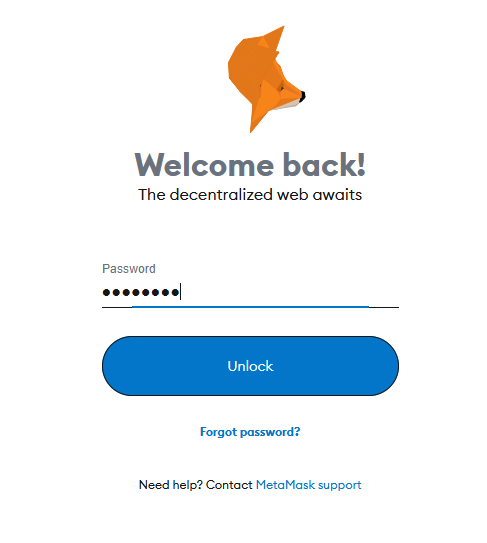
Follow the wallet creation steps:
- Create a strong password that you’ll remember — this protects your wallet on your device.
- Click “Secure my wallet” (recommended) to begin the backup process.
- Reveal your Secret Recovery Phrase and write it down on paper — this is the only way to recover your wallet. Keep it offline and never show it to anyone.
- Confirm your Recovery Phrase by selecting the 12 words in the correct order, then click Next.
- Your wallet creation is now done — congratulations!
- Click through the final screens and log in by entering your password and clicking “Unlock” to access your wallet.
Finished!
Image Example
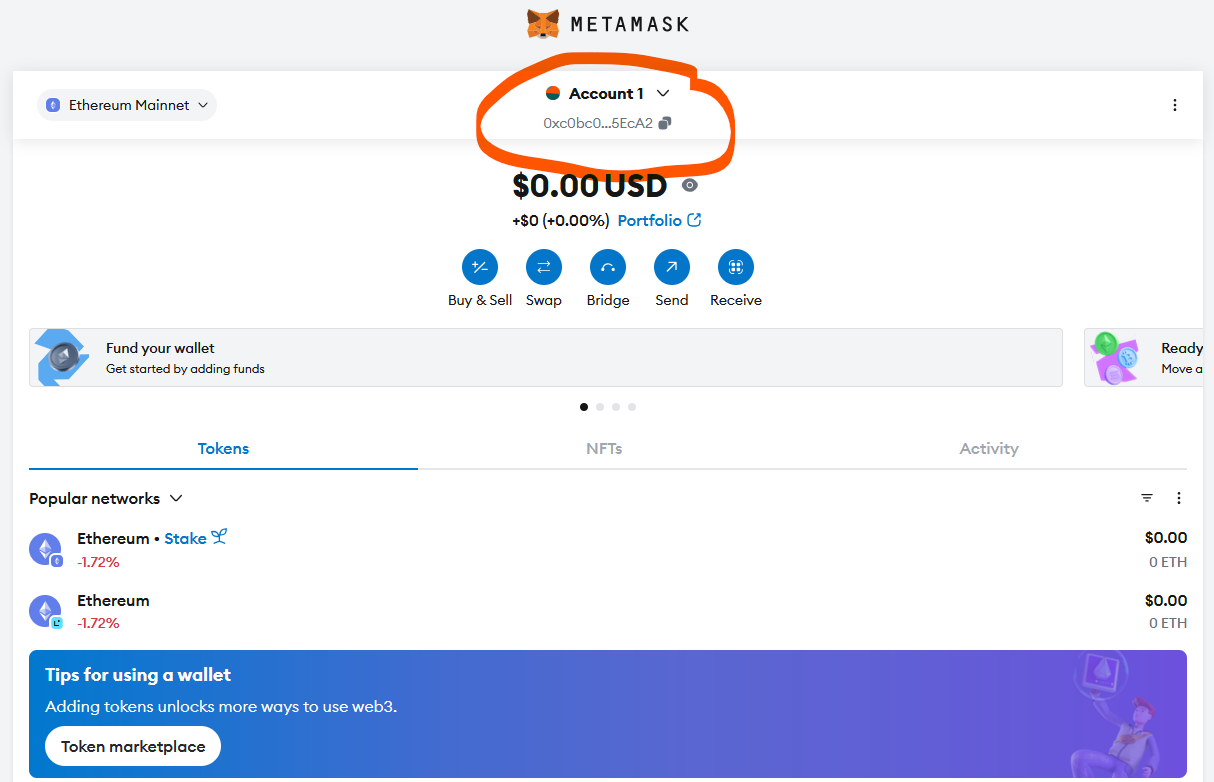
This is what your wallet address looks like — it starts with “0x.” Click the “Copy Address” button to copy it to your clipboard. Never try to type the address manually.
Once your wallet is created, you can use your wallet address to buy RiffCoin (RFC).